
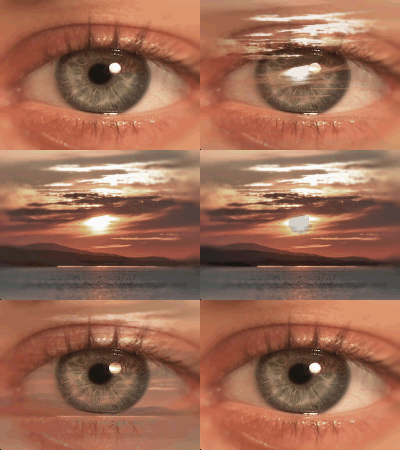
Channel Dissolve Transition
Dissolve transition between one scene and the next based on a source luminance or color channel values.
| Parameters: | |
| Source | Select source clip. NOTE: When applied to only one non-overlapped clip, some options may produce irregular visual results. Choose a "Clip B" option for the clip's head or a "Clip A" option for the clip's tail. |
| Channel | Choose the type of image information that will visually flow the dissolve over time. |
| Invert | Invert channel. |
| Softness | Adjust the edge softness of the dissolve. |