
Slice Zoomer Transition
This transition deforms or divides the frame into animared slices (based on the selected spice file) to dissolve into the next clip.
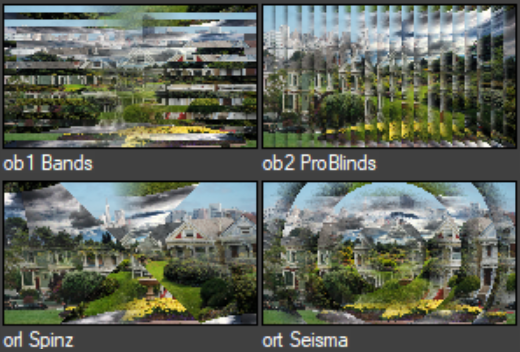
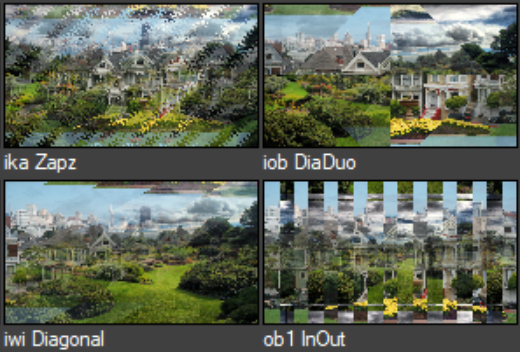
| Parameters: | |
| Progress | Controls A/B dissolve progress. |
| Spice | |
| Spice | Click Choose Spice File button to open Spice Library window. Click on any Spice subfolder in the Library's left pane, then double-click any spice to load it. Alt-click to get a standard Open dialog box. |
| H Flip | Flip the spice horizontally. |
| V Flip | Flip the spice vertically. |
| Invert | Turn on to reverse (invert) the effect. |
| Rotare 90 CW | Rotate the spice 90 degree clockwise. |
| Oversize to Spin | Oversize to Spin - turn on if you are using an iris-like spice to keep the spice size consistent during spins |
| Center | To set a position, enter X and Y coordinates OR drag the handle. |
| Rotate | To rotate the spice, enter a rotation value in the box OR drag the Rotate control. |
| Slices | |
| Position | To change the position of all slices in the effect, adjust this slider. |
| Slices | Set the slices number. |
| Zoom Out | Set the start/end zoom of the slices. |
| Oppozite Zoom | Determines whether both clips have the same or oppozite zoom. |
| Delay | Set a delay for the zoom/dissolve of the slices based on the selected spice file. |
| Anti-alias | Turn on to give all slices a smooth, anti-aliased edge. |