|
|
|
|
|
Dynamic
Linear
Blur
|
|
|
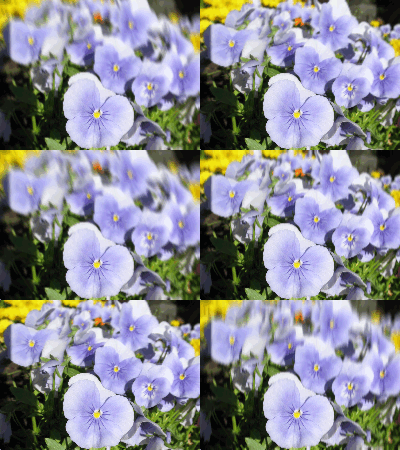
This filter applies time-varying Linear (Motion)
Blur filter to the source. Time-varying One-Way blurs allow you to add
not only motion blur, but a visual motion also, thus to make realistic
camera-shake effects. Click here to
see variation controls in detail.

|

|
Dynamic
blur power
|
Shake
effect |
|
Parameters:
|
|
Blur Type
|
"Constant"
mode represents the real motion blur effect while "Soft" adds subtle
directional blur. One-Way variations add not only motion blur, but a
visual motion also.
|
Size
|
Controls
the
blur power. Value of 1.0 sets the maximum blur, but you can enter
in edit field values from -4.0 to 4.0 and get more blur, but with
a slightly reduced quality. Negative values set opposite-direction blur
for One-Way modes. |
| Variation |
Controls
blur power variations. Variation slider allows you to set blur power
variations to 0.0 and vary only blur direction. |
Direction
|
Controls
the blur direction. Value of 1.0 = one full rotation (360 degrees). You
can enter values up to 100.0 and create direction animations (rotating
direction).
|
| Variation |
Controls
blur direction variations. Variation slider allows you to set blur
direction
variations to 0.0 and vary only blur power. |
|
|
|
See also Dynamic Linear Blur variations:
|

|
Linear Blend - Blur an image and blend
with the original. |
|
Variable size
- control the blur power
within the frame with a Radial Mask,
or Linear Mask. |
|
|
|
|
|
|
|
|
|